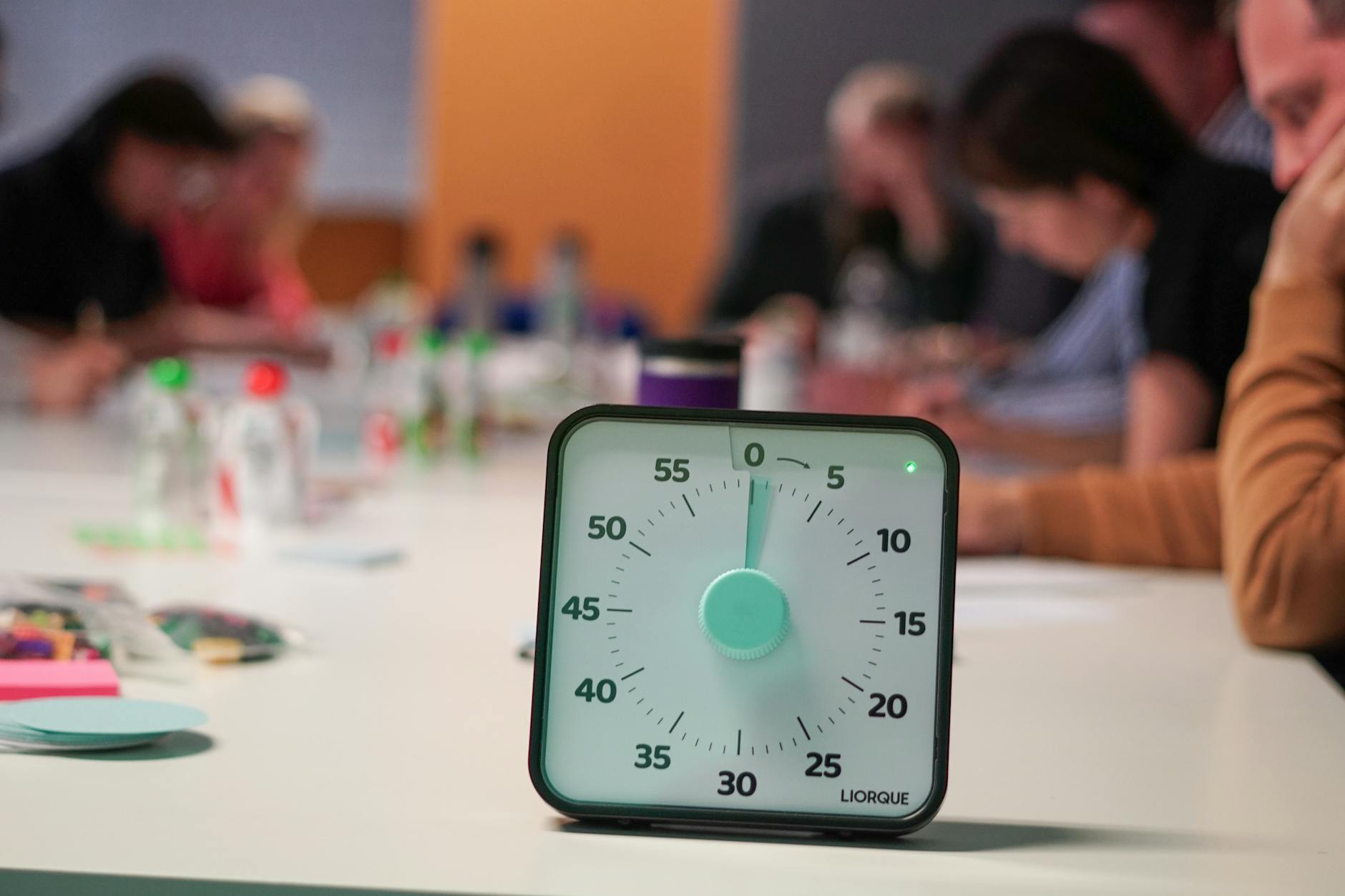
The Pomodoro Technique is a 25-minute work block and a 5-minute break. That’s it. That’s the whole method.
Which raises an obvious question: how did an idea you can implement with a kitchen timer end up with hundreds of apps, most of them subscription-based?
The answer is that a timer alone doesn’t sell, so apps bolt things onto it. Some of those additions are genuinely useful. Most are there to justify a price.
Here are six, with the parts you can actually check.
How this list is sourced
Let me be direct about what this is and isn’t.
I have not run all six of these for a month each. Nor has anyone who writes a “best Pomodoro apps” list in an afternoon. An earlier version of this page claimed I’d tested them side by side. That wasn’t true, and it’s been removed.
What is verified: every app name, developer, star rating and rating count below was pulled from the US App Store on 11 August 2026. No invented star scores, no made-up download rankings, no “500+ apps exist” figure I can’t source.
Prices stay out of the table. All six are free to download and charge through in-app purchases that vary by region and promotion. Where a real up-front price exists, it’s flagged in the text.
Quick comparison
Developers and ratings verified on the US App Store, 11 August 2026. All six are free to download.
| App | Developer | Rating | Ratings | Platforms | Its one strength |
|---|---|---|---|---|---|
| Focus Keeper | PIXO Incorporation | 4.8 | 31,513 | iPhone, iPad | Big rating base, stays simple |
| Focus To-Do | Shenzhen Tomato Software | 4.8 | 14,534 | iPhone, iPad, Mac | Tasks and timer in one |
| FocusPomo | FocusPomo Apps Co., Ltd. | 4.8 | 7,444 | iPhone, iPad | Straight Pomodoro |
| Be Focused | Denys Ievenko | 4.7 | 4,317 | iPhone, iPad, Watch, Mac | Apple-wide sync |
| Flow | Yugen GmbH | 4.8 | 1,738 | iPhone, iPad, Mac | Clean Mac menu bar timer |
| Session | Translucent LLC | 4.8 | 363 | iPhone, iPad, Mac | Session tracking and reflection |
Read the rating counts. Focus Keeper has 31,513 ratings; Session has 363. Both average 4.8. Those are not equally strong signals, and a 4.8 across a few hundred ratings should carry less weight in your decision than a 4.8 across tens of thousands.
The six
Focus Keeper — 4.8 stars, 31,513 ratings
The largest rating base of the six by a wide margin, from PIXO Incorporation. A plain timer with charts, session history and alerts, and it hasn’t drifted into being a project management tool.
Free to download, with a paid tier. The free version is ad-supported.
Pick it if you want the safest bet: the most-reviewed straightforward Pomodoro timer here.
Focus To-Do — 4.8 stars, 14,534 ratings
The one that merges a to-do list with the timer, so a Pomodoro is attached to a specific task rather than to a vague block of time. Reports show where the hours actually went.
Pick it if your problem is “I did four Pomodoros and I’m not sure what I did in them”.
Skip it if you already have a task manager you like. Two task lists is worse than one.
FocusPomo — 4.8 stars, 7,444 ratings
Straight Pomodoro without much on top. Timer, breaks, stats.
Pick it if the feature lists on everything else make you tired.
Be Focused — 4.7 stars, 4,317 ratings
The all-Apple option. The App Store listing covers iPhone, iPad, Apple Watch, Mac and Apple Vision, so the timer follows you from phone to wrist to menu bar.
Two things worth knowing before you install it:
- Older comparisons list Be Focused as “iOS only”. That’s wrong — it runs across Apple’s platforms. What it doesn’t do is Windows or Android, which is a different complaint.
- Denys Ievenko publishes two apps with almost the same name. “Be Focused – Deep Focus Timer” is free to download with in-app purchases. “Be Focused Pro - Focus Timer” is a separate $19.99 up-front purchase at 4.6 stars across 2,973 ratings. Check which one you’re buying.
Pick it if you switch between Apple devices mid-session and want the timer to come with you.
Flow — 4.8 stars, 1,738 ratings
From Yugen GmbH. Built around a clean Mac menu bar timer with iPhone and iPad alongside it. Fewer ratings than the apps above, so less battle-tested.
Pick it if you work mostly on a Mac and want the timer visible without another window.
Session — 4.8 stars, 363 ratings
From Translucent LLC. Adds an intention before each session and a short reflection after, and keeps a record of both. The smallest rating count on this page by a distance — 363 — so treat the 4.8 with proportional caution.
Pick it if you want the timer to make you name what you’re about to do. That prompt alone kills a lot of unfocused sessions.
Two apps that are not on this list, and why
Pomofocus is a well-known browser-based Pomodoro timer at pomofocus.io. It isn’t an App Store app, so there’s no rating for me to verify and it’s out of the table. It’s still worth knowing about: nothing to install, works on any machine, and free. The obvious weakness is that it lives in a browser tab, which is where your distractions also live.
Pomotodo appeared in older versions of this article. As of 11 August 2026 it does not return a result in the US App Store. I’m not going to recommend something I can’t confirm you can install, so it’s been cut.
What about Forest?
Forest: Focus for Productivity, from SEEKRTECH CO., LTD., sits at 4.8 stars across 48,942 ratings and is free to download. It’s frequently listed as a Pomodoro app.
It isn’t one, quite. It’s a focus timer with a growing-tree reward, and it doesn’t enforce the break structure that makes Pomodoro what it is. If the gamification is what would get you to actually start, that’s a good reason to use it. If you want the classic 25/5 cycle handled for you, it’s the wrong tool. There’s a fuller rundown in 9 Forest App Alternatives That Actually Work.
What actually makes a Pomodoro app good
Strip the marketing and there are four things that matter:
- The timer survives you leaving the app. Background reliability is the whole product. An app that resets when you switch to your notes has failed at its only job.
- The alert is unmissable but not jarring. You need to know the block ended without being launched out of your chair.
- It handles the break. The break is not optional garnish, it’s half the technique. An app that only counts work time is a stopwatch.
- It counts completed sessions. Not for the dopamine — so that at 6pm you know whether you did two hours of focused work or claimed to.
Nice to have: custom lengths, a widget or Watch complication, task links, exportable stats.
Red flags: ads that fire mid-session, a paywall on the break timer, a timer that resets on app switch, and a “focus” app that sends you notifications.
The overengineering problem
Most Pomodoro apps try too hard. They add project management, team dashboards, mood tracking, habit streaks, AI coaching.
It’s a 25-minute timer.
The original technique ran on a tomato-shaped kitchen timer and it worked. Every feature added since then is a bet that you’ll pay for it, not evidence that you need it. The best app is the one that starts fast, runs in the background, tells you when to stop, and gets out of the way.
Do you need an app at all?
Genuinely worth asking, because your phone already has a timer.
Use the built-in timer if:
- You’re trying Pomodoro for the first time and don’t know yet if it suits you
- You don’t care about tracking
- You’d rather not add another app to the thing you’re trying to focus away from
Use an app if:
- You want a record of your focused hours
- You want the break to start automatically, without a decision
- Streaks and stats genuinely motivate you
- You want it on your wrist or in your menu bar
A physical kitchen timer is also a completely serious answer. It removes the phone from the equation entirely, which is a stronger move than any blocker.
Classic vs modified
Classic: 25 minutes work, 5 minutes break, 15 to 30 minutes after four cycles.
Modified: 50 minutes work, 10 minutes break, for work that takes a long time to get into.
Every app here lets you change the lengths. Start classic for a week, because it’s short enough that starting is easy, then stretch it if 25 minutes keeps cutting you off mid-thought.
FAQ
What’s the best free Pomodoro app? Focus Keeper has the largest verified rating base of the six here and is free to download. If you’d rather not install anything, Pomofocus runs in a browser tab for free.
Which one works on a Mac? Be Focused, Focus To-Do, Flow and Session all list Mac support. Flow and Be Focused are the two built around a menu bar timer.
Is 25 minutes actually the right length? It’s the length in the original technique, and it works for a lot of people because it’s short enough that starting doesn’t feel like a commitment. If you consistently find yourself interrupted mid-flow, extend it. The technique is a starting point, not a rule.
Can I extend a session if I’m in flow? Yes, and most apps let you. Just don’t let “I’m in flow” become the reason you never take a break, because the break is what makes the next block possible.
Why do timer apps charge subscriptions? Because subscription pricing is what the App Store rewards. It isn’t a signal that the timer is better. Several apps here have lifetime purchase options in their in-app purchase list, and those are usually the better deal if you already know the app suits you.
What about a physical timer? Excellent option. No notifications, no upsell, no reason to pick up your phone. The main downside is no session record.
Related reads:
- Pomodoro Technique: The Complete Productivity System — the method itself
- Deep Work Timer: How to Structure Your Focus Sessions — for longer blocks
- 10 Deep Work Apps That Hold Up in 2026 — beyond Pomodoro
- 9 Forest App Alternatives — if gamification is what you want
Disclosure: FocusTimer is mine
I build iOS apps, and FocusTimer is one of them — a plain Pomodoro timer with no gamification attached.
It does not appear in the comparison table, in the six ranked entries, or in any FAQ answer on this page. That’s deliberate: scoring my own product against apps I compete with isn’t a fair test, and you shouldn’t have to take my word for it either way.
If the “just want a timer that starts fast and stays out of the way” description fits you, it’s an option alongside Focus Keeper, FocusPomo and Session. It is new and has very few App Store ratings so far, so there is not much of a crowd verdict to lean on either. Try it and judge for yourself.
— Dolce


Comments
Comments powered by Giscus. Sign in with GitHub to comment.